
Biometric fingerprint terminals and outdoor video intercom kiosks installed at factory turnstiles, residential entry gates, and corporate lobbies handle hundreds of authentications daily. Over months of round-the-clock service, hardware components encounter skin oils, abrasive grit, vehicle exhaust grime, and seasonal temperature cycling.
When an authentication terminal develops high False Rejection Rates (FRR)—forcing authorized workers to scan their fingers three or four times—or when its mechanical access door jams during routine servicing, property technicians frequently assume the sensor board has failed. However, routine maintenance oversights cause the vast majority of biometric and mechanical degradation.
Implementing a structured quarterly maintenance protocol preserves sub-second authentication speeds and extends terminal service life.
Biometric Terminal Preventive Maintenance Matrix
| Hardware Subsystem | Primary Field Degradation Mechanism | Quarterly Preventive Action | Corrective Field Procedure |
| Optical / Capacitive Fingerprint Platen | Accumulated epidermal oils, hand lotion, and abrasive grit | Wipe surface with dry lint-free optical microfiber cloth | Clean with 70% isopropyl alcohol; re-calibrate background noise |
| Bottom Mechanical Barrel Security Lock | Road dust, salt mist, and dried mineral residue seize tumblers | Inject dry graphite lock lubricant (avoid WD-40 spray) | Flush cylinder with contact cleaner; cycle brass key 5 times |
| Dual-Microphone Audio Apertures | Wind-blown dust and spider webs block mic pinholes | Inspect mic ports; clear with low-pressure dry air burst | Run DSP acoustic echo-cancellation (AEC) software loopback test |
| WDR Camera Cover Glass | Hard water mineral spots from lawn sprinklers | Wipe with deionized water and mild optical detergent | Re-align infrared (IR) night illumination threshold settings |
Step 1: Proper Cleaning of Fingerprint Platens
Biometric fingerprint scanners rely on measuring microscopic ridge-and-valley depth differences or capacitive skin charges:
- The Oil Film Problem: Over weeks of operation, natural skin sebum and cosmetic hand creams form an invisible film across the sensor platen. This residual film creates “latent fingerprint ghosting,” tricking the scanner into seeing overlapping ridge patterns that cause verification failures.
- Never Use Abrasive Powders or Acetone: Harsh cleaning chemicals attack the silicone protective coating on capacitive sensors, permanently degrading signal resolution.
- Correct Cleaning Procedure:
- Lightly dampen a lint-free microfiber cloth with 70% isopropyl alcohol—never spray liquid directly onto the sensor.
- Gently wipe the platen in a firm circular motion to dissolve grease without scratching the glass.
- Dry thoroughly with a clean optical cloth before prompting operators to register scans.
- In commercial facilities where cleanrooms and factory gates require unified authentication, deploying purpose-built hardware like the 10.1″ Biometric Fingerprint Industrial Panel PC delivers reliable sub-second verification with scratch-resistant glass surfaces.
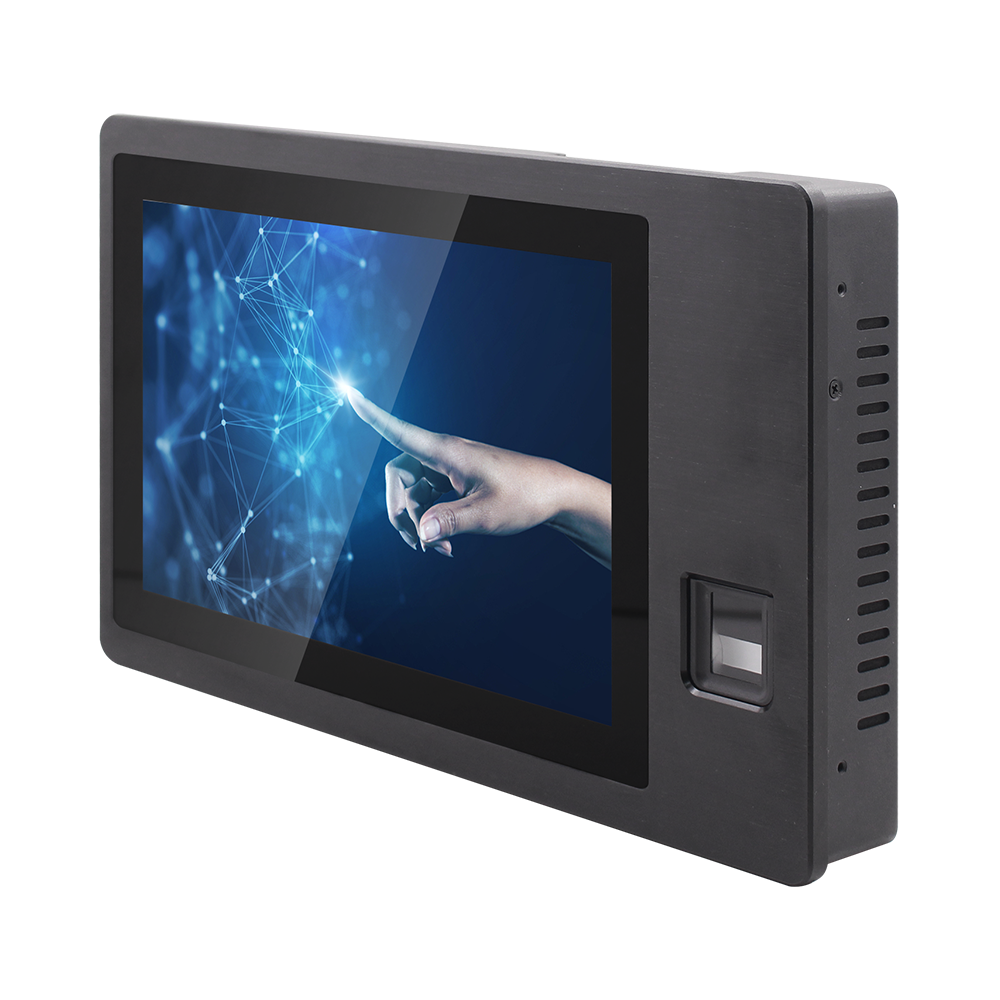
10.1″ Biometric Fingerprint Panel PC
Integrated optical fingerprint scanner, true-flat IP65 front, and recessed I/O.
Step 2: Servicing Mechanical Security Key Locks
Outdoor vandal-resistant terminals feature mechanical barrel locks on the bottom chassis to prevent unauthorized opening:
- The Lubrication Trap: Technicians often spray standard petroleum lubricants (such as WD-40) into lock cylinders. Petroleum oils attract road dust and pollen, forming a sticky gum that seizes internal brass pins over time.
- Proper Lock Care: Always use dry powdered graphite lubricant or specialized PTFE dry-film lock sprays. Insert the key and cycle the lock cylinder several times to distribute the dry lubricant evenly across the tumblers.
- Terminals such as the 7″ to 15.6″ CNC Aluminum Smart Video Intercom System integrate rugged bottom barrel locks that provide smooth technician access when properly maintained with dry lubricants.
Step 3: Checking Acoustic Echo Cancellation (AEC) Settings
If visitors report squealing audio feedback or an echo during video intercom calls:
- Inspect the front microphone pinhole for fine insect blockages or dirt buildup that can distort incoming audio waves.
- Verify that the internal digital signal processor’s Acoustic Echo Cancellation (AEC) algorithm is active in the software menu, ensuring speaker output does not loop back into the microphone.
Quarterly Field Routine for Property Technicians
- Check Perimeter Gasket Compression: Inspect the silicone sealing gasket around the front bezel for pinching or dry-rot cracks.
- Verify Tamper Alarm Switches: Test the rear optical tamper sensor to ensure security teams receive automated alerts if the kiosk is forced open.
- Perform Test Card Swipes: Test both 13.56 MHz and 125 kHz RFID cards to ensure detection range remains consistent at 30 mm to 50 mm.
Experiencing persistent fingerprint sensor rejection, intercom audio distortion, or lock mechanism issues? Contact INNODA’s technical service engineering team for replacement sensor modules, firmware SDKs, and maintenance support.