
Self-service payment kiosks, interactive wayfinding hubs, baggage check-in terminals, and machine-tool consoles utilize open-frame industrial displays to integrate large visual screens seamlessly behind custom architectural enclosures. A 23.8-inch widescreen (16:9 Full HD 1920×1080) open-frame format delivers the optimal physical dimensions for modern interactive kiosks, providing large-format graphical real estate while recessing flush behind decorative metal, wood, or glass fascias.
However, open-frame displays lack an external sealed protective housing. Operating an open-frame chassis inside unconditioned kiosk enclosures introduces severe thermal management challenges. High-luminance LED backlights and power supply boards generate continuous internal heat. Without engineered convective airflow channels and routine dust clearance protocols, internal enclosure heat accumulates, triggering liquid crystal isotropic phase transitions and premature backlight degradation.
1. Enclosure Cavity Heat Buildup & Convective CFM Airflow Sizing
When an open-frame display is enclosed within a confined kiosk structure alongside a small form-factor computer, power converters, and receipt printers, the total electrical power dissipation accumulates inside the air cavity. Calculating required forced-convection airflow ensures internal air temperatures remain within safe operating thresholds:
Enclosure Airflow (CFM) Sizing Equation: CFM = (3.16 × Q_total) / ΔT_allowable Where: – Total Heat Dissipated Q_total = P_monitor (32W) + P_ipc (45W) + P_power (15W) = 92.0 Watts. – Maximum Allowable Temperature Rise ΔT_allowable = T_internal_max – T_ambient_max. Thermal Criteria: If maximum ambient room temperature T_ambient_max = 35°C, and maximum allowable internal kiosk temperature T_internal_max = 50°C: ΔT_allowable = 50 – 35 = 15°C. Required Cooling Airflow: CFM = (3.16 × 92.0) / 15 ≈ 19.38 CFM continuous filtered airflow. Safety Margin (Accounting for 30% dust filter clogging over 6 months): Target Fan Specification: CFM_spec ≥ 19.38 × 1.4 ≈ 27.1 CFM at zero static pressure.
Failing to size cooling fans correctly allows internal kiosk cavity temperatures to exceed 65°C. Operating at these elevated temperatures accelerates the degradation of electrolytic capacitors on display timing controller boards and can drive standard liquid crystal fluids beyond their clearing point, producing temporary dark blotches across the display face.
To ensure high thermal reliability in custom kiosk designs, equipment integrators deploy the 23.8″ Open Frame Industrial LCD Monitor, which features heavy-gauge zinc-coated steel open-frame side mounting flanges designed for unobstructed natural and forced-air convection.
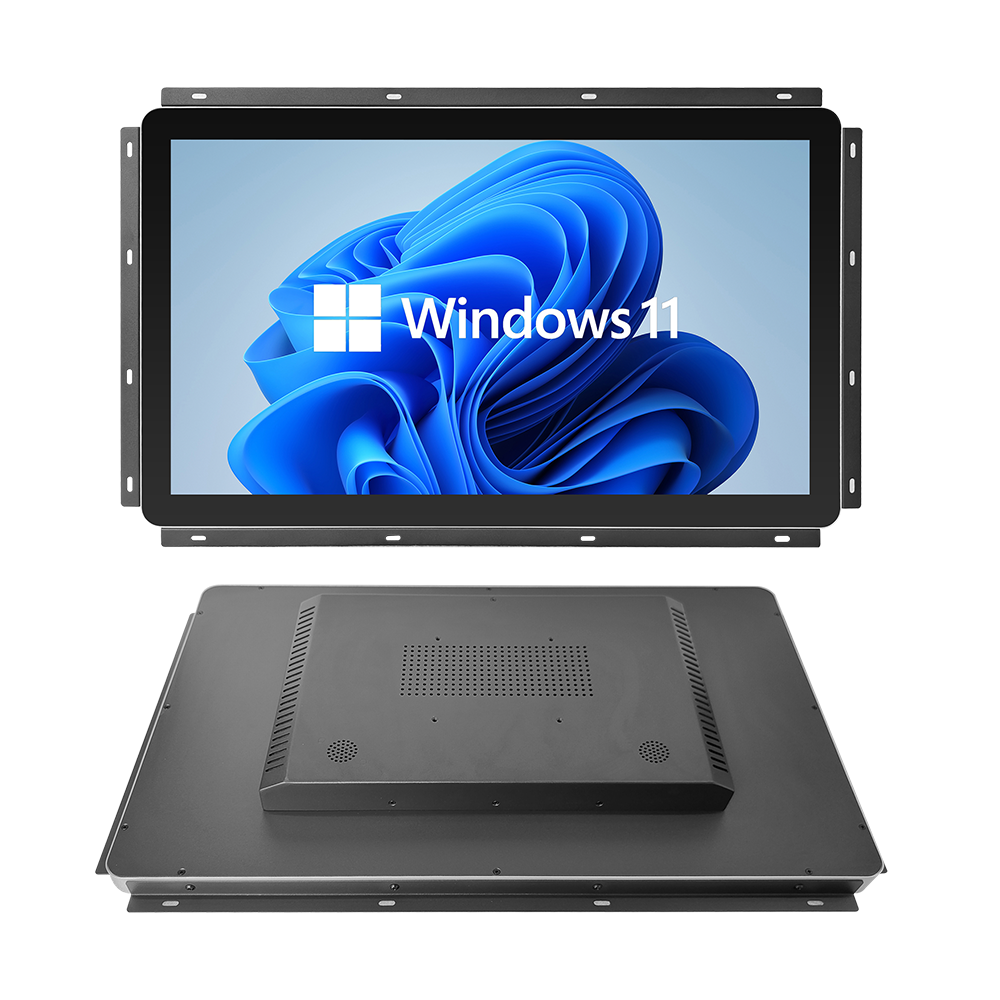
23.8″ Open Frame Industrial LCD Monitor
Designed for interactive self-service kiosks, ATM terminals, and machine console integration. Features an expansive 23.8″ Full HD display, heavy-duty galvannealed steel open-frame flanges, 50,000-hour industrial LED backlighting, and rear VESA mounting.
2. Flange Coplanarity & Mechanical Stress Prevention
Proper mechanical integration prevents image distortion and glass fracture:
- Adjustable Multi-Flange Side Brackets: High-tensile steel side mounting ears allow engineers to adjust rear depth positioning, ensuring the LCD front face seats flush against custom outer kiosk fascias.
- Eliminating Mechanical Twist (Torsional Flex): Outer kiosk mounting studs must remain coplanar within ±0.5 mm. Uneven bracket torquing twists the open metal frame, causing localized mechanical pressure on the LCD light guide plate, which manifests as persistent bright spots (mura defects).
- Positive Pressure Dust Filtration: Kiosk cooling fans should always be configured as intake fans with removable MERV 8 filters, creating positive internal air pressure that prevents airborne dust and fibers from being sucked through enclosure seams.
Kiosk Open Frame Monitor Engineering Matrix
| Diagnostic Checkpoint | Consumer Panel Assembly | Engineered 23.8″ Open Frame Monitor |
|---|---|---|
| Chassis Construction | Plastic bracket tabs (Prone to cracking) | Heavy zinc-coated galvannealed steel chassis |
| Operating Duty Cycle | 8 hours/day (Consumer grade) | Continuous 24/7/365 industrial operation |
| LED Backlight MTBF | ≈ 25,000 Hours to half-brightness | ≥ 50,000 Hours industrial-grade LED rail |
| Mounting Versatility | Fixed desktop stand holes only | Integrated side L-brackets + rear VESA 100×100 |
| Thermal Operating Ceiling | 0°C to +40°C (Overheats inside kiosks) | -20°C to +70°C wide temperature industrial panel |
3. Semi-Annual Kiosk Preventative Maintenance Checklist
- Airflow Filter Media Replacement: Clean or replace the external kiosk intake fan filter media every 6 months to maintain design airflow CFM and prevent static pressure drops.
- Open Chassis Dust Clearance: Use dry, filtered compressed air (< 2 bar) to blow accumulated dust and airborne lint away from the rear timing controller board and LED driver circuitry.
- Flange Fastener Inspection: Verify that all side-mounting flange screws remain torqued to 0.8 Nm, confirming that machine vibration has not caused fastener loosening.
Standardizing interactive kiosk networks on 23.8-inch open frame industrial LCD monitors ensures seamless architectural integration and eliminates thermal overheating downtime. Contact INNODA’s kiosk display support team to request 3D STEP packaging files, thermal modeling documentation, and customized touch integration options.