
Original equipment manufacturers (OEMs) and turnkey automated machine builders face an architectural fork when integrating operator interfaces into machine structures, customized medical consoles, or automated test equipment: rear-mount Open Frame industrial monitors versus front-clamped Panel Mount display assemblies.
Choosing between these two mechanical integration architectures dictates not only front-panel visual appearance, but fundamental factory floor performance: cabinet thermal equilibrium, internal airflow dynamics, electromagnetic compatibility (EMC), and mean time to repair (MTTR).
1. Open Frame Architecture: Seamless Structural Customization
Open Frame monitors lack an external decorative front bezel, providing exposed metal chassis flanges with integrated side/rear mounting holes. Machine builders fit the monitor directly against custom glass fascias, sheet metal consoles, or CNC enclosures.
- Unrestricted Internal Airflow: Open frame units dissipate heat directly into the machine cabinet’s centralized ventilation system. Integrating open display platforms like the 23.8″ Open Frame Industrial LCD Monitor allows engineering teams to deploy large-format visualization consoles without managing isolated heatsink volumes.
- Zero External Cutout Seam: Because the protective cover glass can extend across the entire faceplate, machinery exteriors achieve seamless edge-to-edge aesthetics, preventing debris buildup in perimeter bezels.
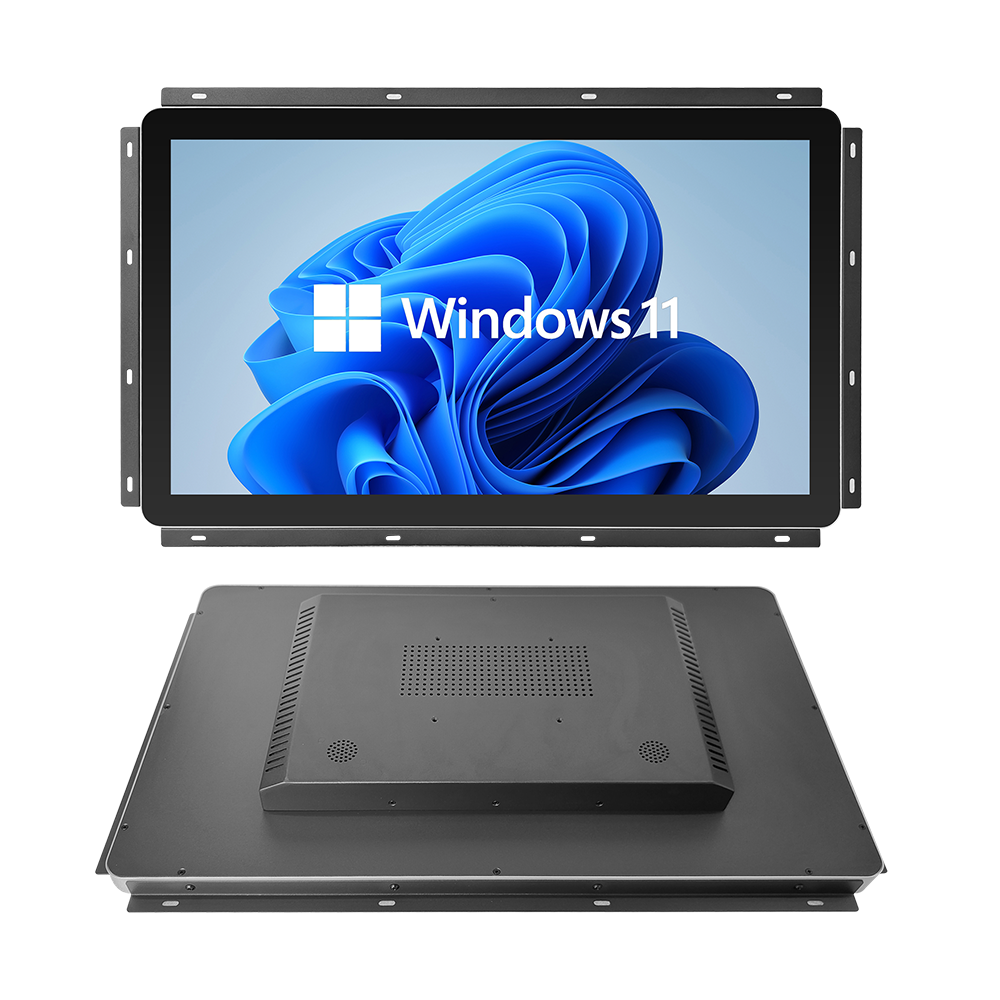
23.8″ Open Frame Industrial LCD Touch Monitor
Designed for seamless OEM machine integration and automated kiosks. Features versatile side-mounting flanges, open-frame metal chassis, high optical contrast, true-flat PCAP multi-touch, and wide-angle industrial viewing.
2. Panel Mount Architecture: Dedicated Front Ingress Isolation
When machines operate in oily, wet, or particulate-heavy factory zones, the front interface must act as an airtight barrier protecting internal electronics.
Panel mount displays, such as the 21.5″ CNC Panel Mount Touch Industrial Monitor, feature engineered front bezels with perimeter clamping brackets. The display inserts from the front of the cutout, securing from behind via threaded tension screws. This architecture provides certified IP65/NEMA 4 sealing on the front face, completely isolating internal sensitive PLC hardware from external washdown sprays or metal shavings.
3. Electromagnetic Compatibility (EMC) & Shielding Boundaries
High-power motor drives and switching supplies emit significant radiated radio-frequency interference (RFI):
- Conductive Ground Bonding: Panel-mount bezels make direct 360-degree electrical contact with the cabinet door metal, establishing a continuous Faraday cage that grounds high-frequency noise.
- Open Frame Shielding: When installing open-frame assemblies, engineers must ensure the custom front fascia does not create an unshielded electromagnetic window. Adding conductive copper-mesh grounding strips along the chassis bracket prevents radiated emissions from escaping into sensitive sensor channels.
OEM Display Integration Architecture Matrix
| Parameter | Rear Open Frame Display | Front Panel Mount Display |
|---|---|---|
| Mounting Method | Rear VESA / side flange brackets | Front insert with rear clamp studs |
| Front Ingress Protection | Depends on machine outer faceplate | Certified IP65 / NEMA 4 self-contained |
| Field Serviceability (MTTR) | Requires accessing internal machine frame | Quick release from rear mounting clips |
| Thermal Strategy | Relies on cabinet exhaust fans | Sealed conductive rear housing |
Are you designing an OEM machine console or kiosk interface requiring custom mounting flanges? Contact INNODA’s display integration engineers for 3D step files, bracket drawings, and EMC compliance reports.